
Touch Controls
Control your sim from a touchscreen.
Tap your golf program's buttons on a touchscreen at your PC.
 0:31
- Touch Controls runs on your PC alone. You don't need the internet or a phone
- Choose your buttons, columns and color for GSPro and Pureplay. Open Settings > Touch Controls and press Edit layout
- Switches to the game you're running
- Launch Touch Controls by tapping its tile, or add it as a step when another program launches
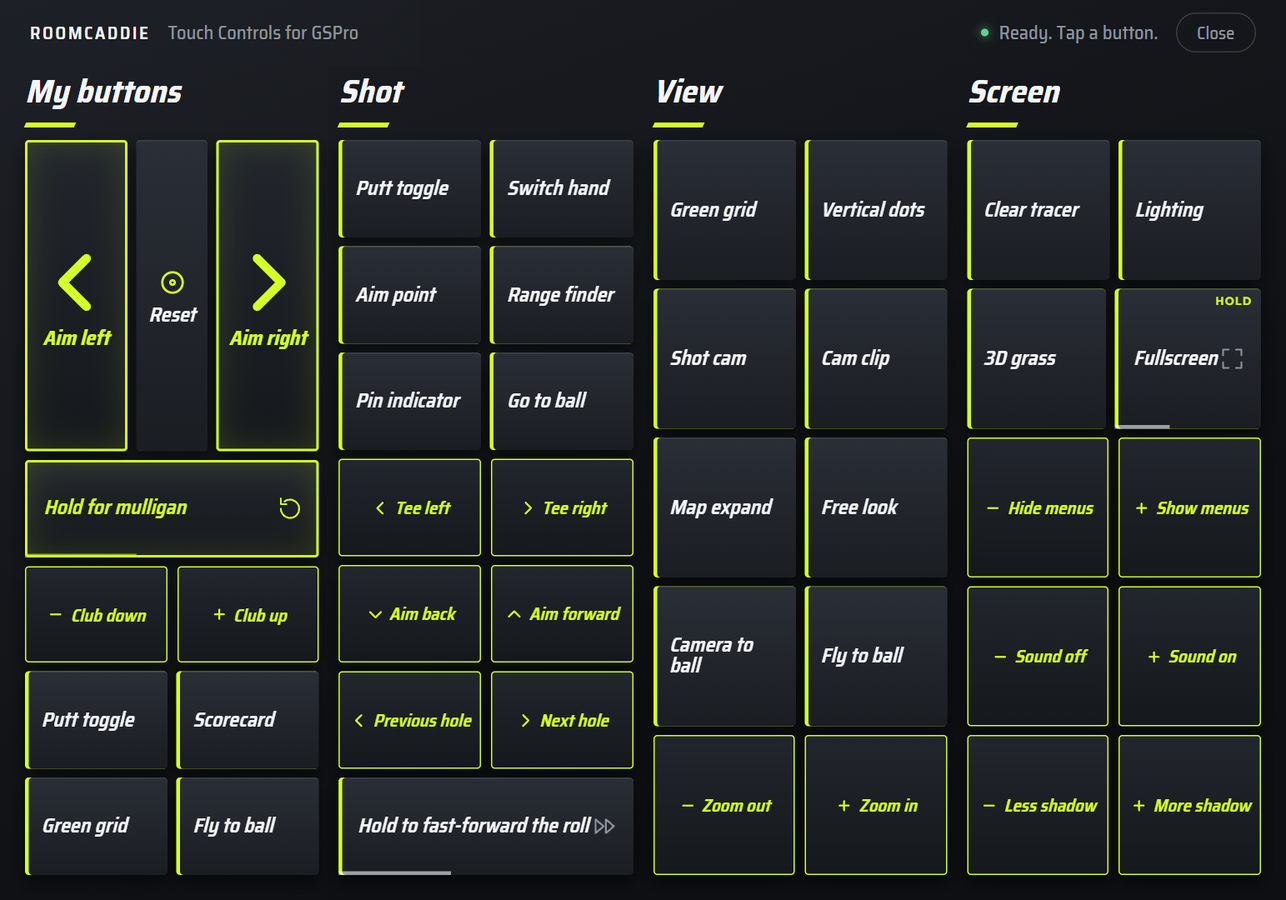
GSPro's buttons pictured
- Keep your round going without walking to the keyboard
- Aim, take a mulligan, change your club, and much more
- Works with GSPro, Pureplay, Infinite Tees, ShotForge and Muni Golf. Switches to the game you're running
- Make it yours in GSPro and Pureplay. Choose your buttons, hide the ones you don't use, and change the layout and color
Your sim room, finished.
Buy RoomCaddie · $49
- No account. No subscription. No tracking.
- $49, one time purchase, 14-day refund
- One key for up to three of your own PCs
Already purchased? Download RoomCaddie
The key and the download arrive by email within minutes. Windows 11. English. Sold worldwide.